
A deal is a discount code. You can create one yourself, or one is created for you when you add a deal to a one-off campaign or an automated campaign.
Marketing needs to be turned on for your account. Creating and revoking deals depends on your permission role.
Create a deal
- Open Marketing and select Deals.
- Select Add deal.
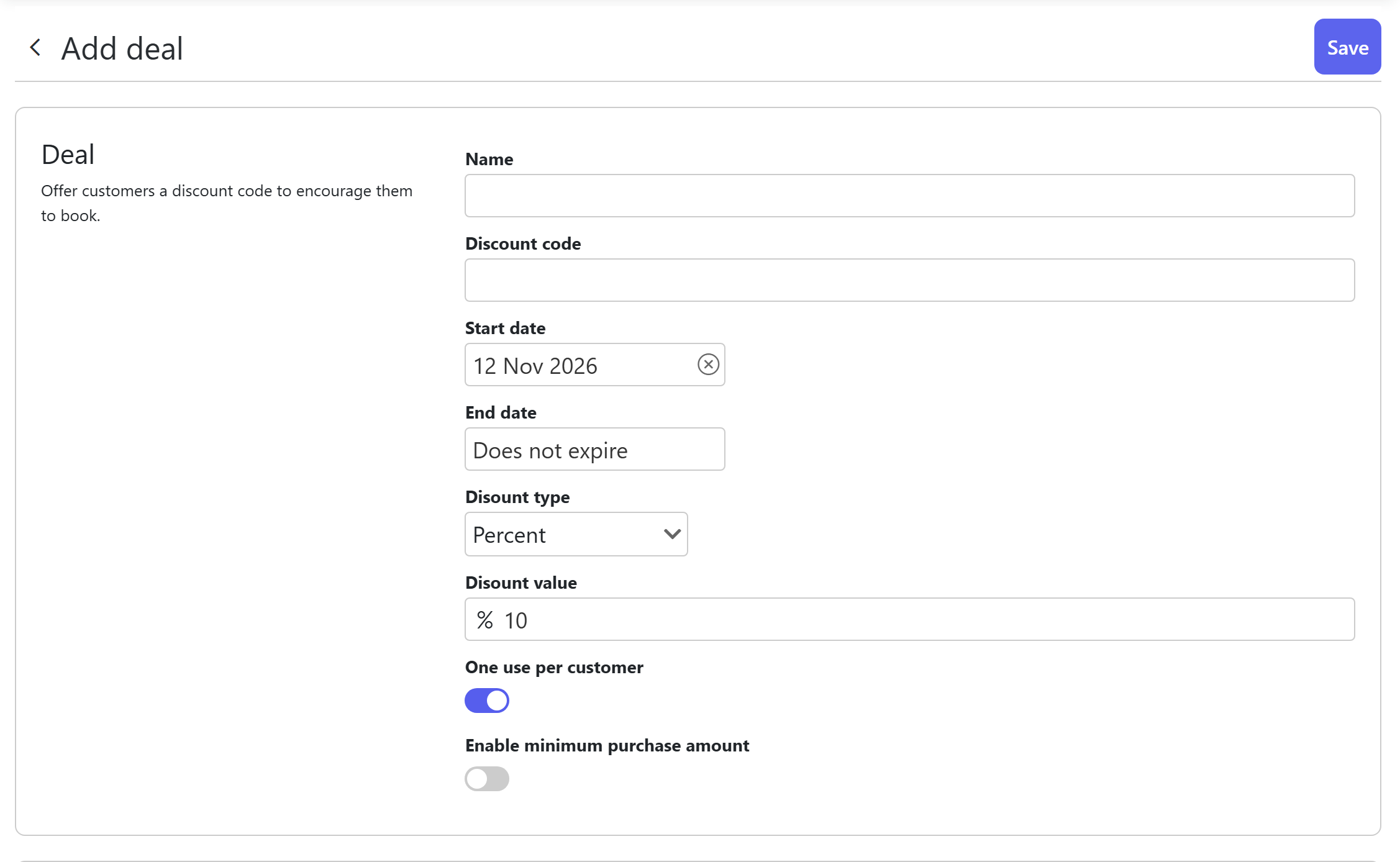
- Fill in the details and select Save.
Field | What it does |
|---|---|
Name | For your own reference. |
Discount code | The code customers enter or show staff. |
Start date and End date | When the code can be used. Leave the end date blank so it does not expire. |
Discount type and Discount value | A Percent off or a Fixed value off. A percentage must be more than 0 and less than 100. |
One use per customer | Each customer can only use the code once. |
Enable minimum purchase amount | Only applies when the sale reaches the Minimum purchase amount. |
Locations, Services and Staff | The code only applies to the ones you select. Choose at least one of each. |
Where customers can use a code
- Online: customers type the code on your booking page. This only works when full payment is required at booking (no deposit), because they pay the full discounted price up front, and the Discount code option is switched on under More > Setup > Online bookings. If it isn't available, that page tells you why.
- In person: staff enter the code in the Discount code box at checkout. See Make a Sale and Manage Invoices.
Track a deal
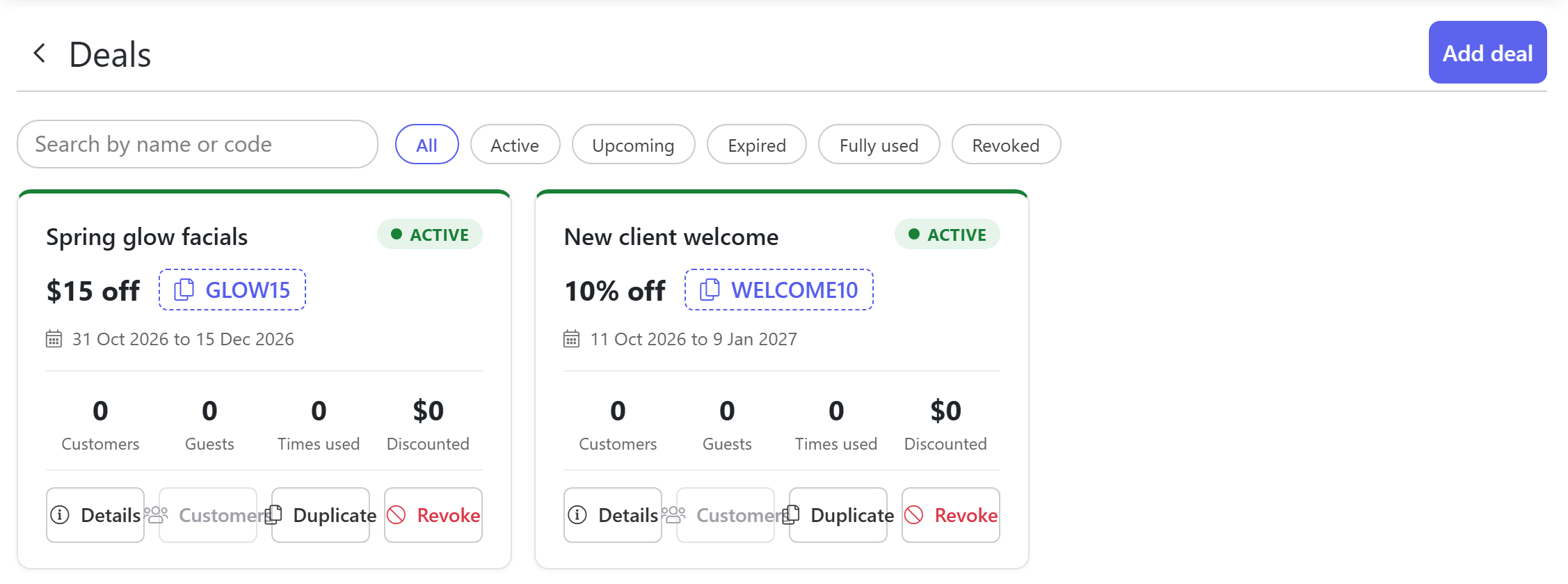
The Deals list shows each deal's name, code, offer, validity and status: Scheduled, Active, Expired, Fully used or Revoked. It also shows where it came from, either a campaign or created manually.
Expand a deal to see how many times used, how many customers and guests used it, and the total discount given. Select the customers to see who used it. Guests are people who booked without signing in.
Revoke a deal
If you no longer want to honour a code:
- Find the deal in the list.
- Select Revoke deal and confirm.
Customers can no longer use the code. Anyone who has already used it keeps their discount. Revoking can't be undone. You can only revoke deals that are Active or Scheduled.
Tips
- Mention the end date in any message that includes the code.
- Use One use per customer to stop codes being shared around repeatedly.
- See Marketing Overview for the other marketing tools.