
This is what a customer sees when you've switched on your online shop. To set it up, see Set Up Your Online Shop.
Finding the shop
A Shop link appears in your booking site's menu, after your pages. On a phone it's in the slide-out menu. If you only sell gift cards, the link is called Gift cards.
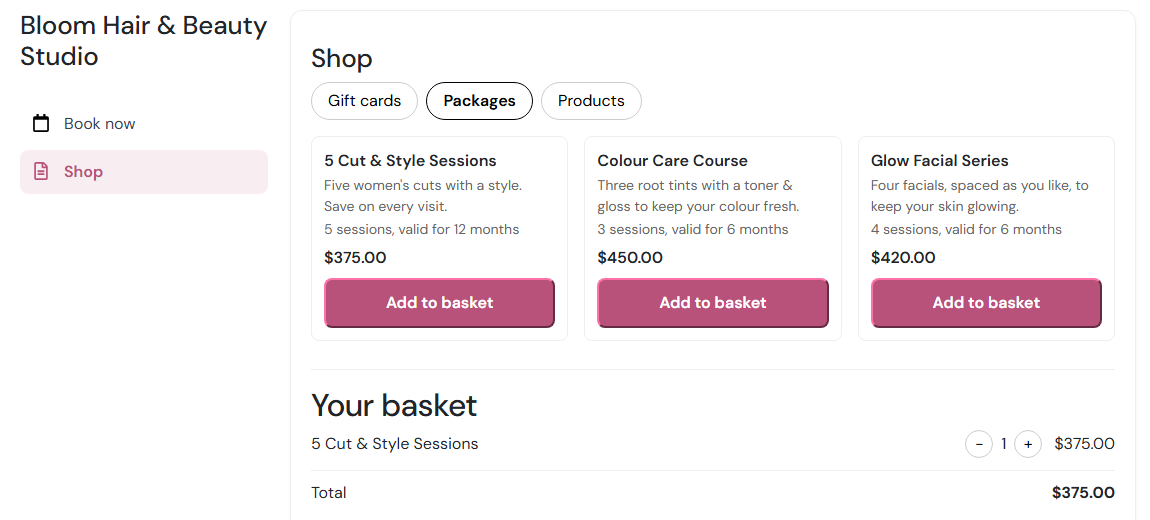
The Shop page has a tab for each thing you sell: Gift cards, Packages and Products.
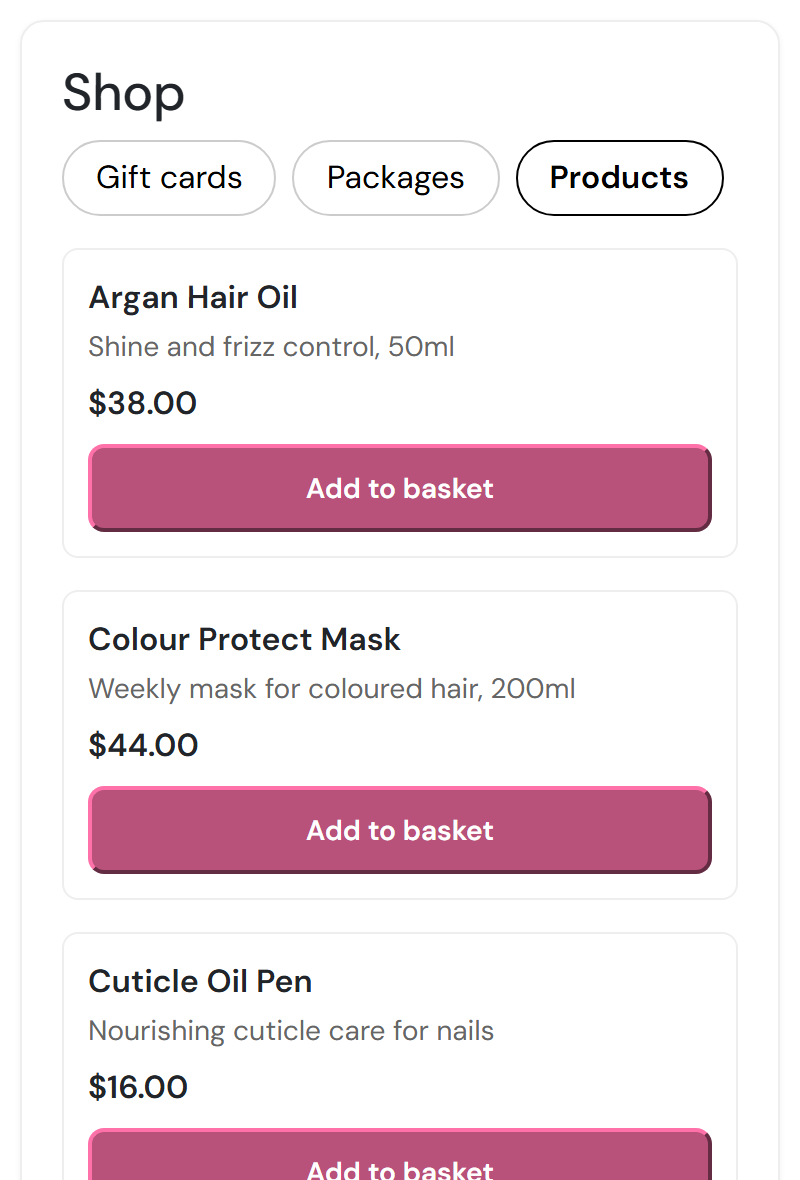
Packages and products
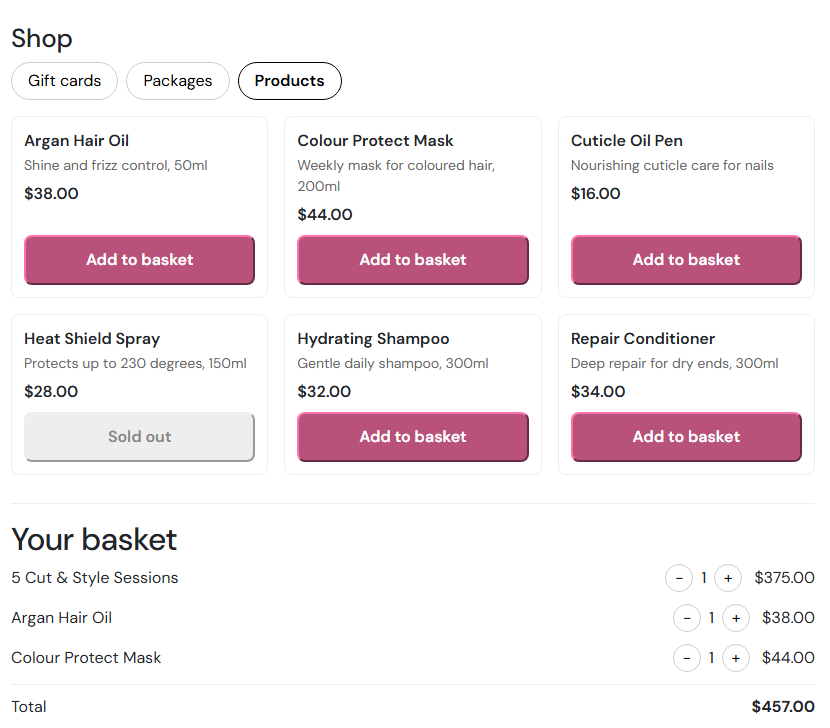
Each item shows its name, a short description, its price and a photo for products. Packages also show how many sessions they hold and how long they last.
- The customer selects Add to basket on what they want. Products that are out of stock show Sold out.
- Their basket appears below. They can change quantities with the - and + buttons. They can't add more of a product than you have in stock.
- They enter their name and email, and an optional note.
- They select Pay securely and are taken to the payment page.
Packages and products can go in the same basket and are paid for in one payment.
If your business has more than one location, the Products tab has a Collect from list so the customer can choose where to collect, and that location's stock is what they see.
If you offer delivery, the basket has Collect from us (free) and Deliver to me, with the charge shown. Choosing delivery adds the address fields and puts the delivery charge in the total. A basket with only packages has no delivery choice.
Gift cards
Gift cards are bought on their own, on the Gift cards tab, because each one gets its own code. The customer picks an amount, enters their details and who it's for, and pays. See Sell and Accept Gift Cards Online.
After paying
The customer comes back to the Shop page, which shows a thank-you with what they bought and the total.
- For products, it tells them the products are ready to collect (and from which location) and to give their name, or that they'll be delivered to the address they gave.
- For packages, it tells them the sessions are on their account and will be used up as they book and pay for the services they cover.
They're also emailed a receipt with the same information. If the payment takes a moment to confirm, the page says so and the receipt follows.
If the customer cancels on the payment page, nothing is charged and nothing is handed out.
Good to know
- Customers don't need an account. They enter their name and email each time.
- The Shop page uses your booking site's colours, logo and fonts, like the rest of the site. See What Customers See When They Book Online.
- Customers who are signed in can use their package sessions when they book a service online. See Sell Packages and Use Them at Checkout.